Neon Vengeance - Atavysm
3D, Hack and Slash, Third Person Combat
Overview
A 3D hack-and-slash game made in Unreal Engine, focused on delivering satisfying combat. Our team designed a responsive combat system, enemy AI behaviors, and a polished gameplay loop that rewards timing, positioning, and skillful play.
Background
Team Project
This project was created by a 20 people team, with multiple disciplines including programmers, artists, designers, and one audio producers.
We used Unreal Engine, to develop a 3D hack and slash game that focuses on a satisfying combat system and overall game experience.
My role for this project was a gameplay programmer, and quality advocate, where I mostly worked in UI and player movements, and was responsible for bug tracking and fixing as a QA.
Tools & Skills
Tools Used:
-
Unreal Engine
-
Github
-
P4V (Perforce for version control)
-
Excel
Skills Applied:
-
Blueprints
-
C++
Goals
Goals:
The goal of this project was to create a polished 3D hack-and-slash experience that delivers responsive, satisfying combat and showcases effective cross-discipline collaboration. Our team aimed to build a playable vertical slice that demonstrated strong gameplay feel, cohesive visuals, and solid technical execution.
Trailer

Movement/Camera
Let's start the game:
Movement
Walking/Camera
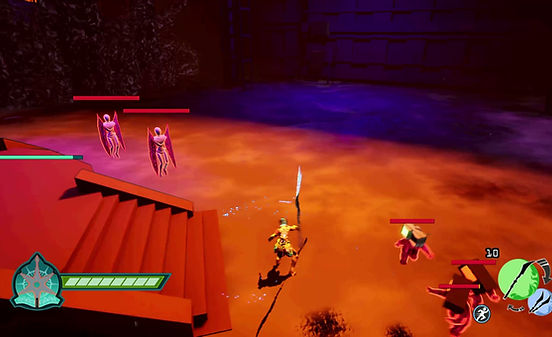
Players can move with WASD,
With forward orientation determined by the camera direction.

Dashing
To dash, by default, the control is 'L. Shift',
dashing uses stamina, which is shown on the bottom right.


Sprinting
I then needed to implement sprinting, since 'L. Shift' is already used for dashing. My idea is to have the character transition into sprinting when continuously walking.

Tutorial System
To teach player the game, I worked with designers and artists to create timed tutorial popups.
The game requires different types of tutorial popups, so using blueprint, I implemented an expandable tutorial popup class.
Trigger Tutorial
The basic tutorial popup is using a trigger, where it popups for a duration of time and then disappears.

Sequential Tutorial
Sequential tutorial allows displaying two different messages without closing and reopening the UI dialogue box

Event-Based Tutorial
Another form of tutorial is an event-based tutorial, where it listens for events to trigger its start, and a listener for player input to close it.

Here's another example of the tutorial listening for when the 'Spark Charge' bar is full.

Time-Based Tutorial
We needed a tutorial to popup for a certain amount of time, and needs to clicked away before continuing.

Menus
I was responsible for implementing the menu, collaborating with designers and artists to bring their vision to life.
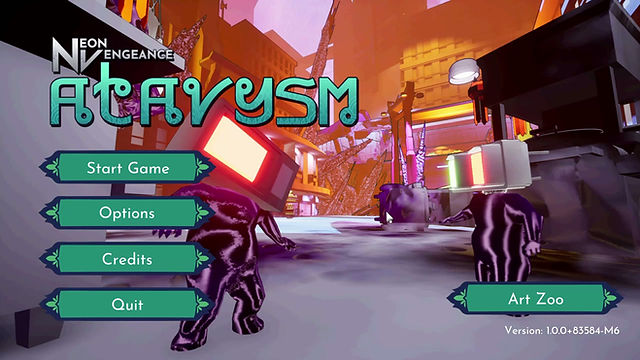
Main Menu
Each menu button has an idle and hover state, it also plays a sound when hovered and clicked.

Option menu can also be accessed here

Pause Menu
Also a pause menu.

Options Menu
The Options menu is accessible from both the Main Menu and Pause Menu, providing players with a range of settings and controls to tailor their experience.


HUD
I was also responsible for the HUD implementation.
Stamina
As seen previously, the HUD has a sprint icon with a fill bar indicating stamina.
Health Bar
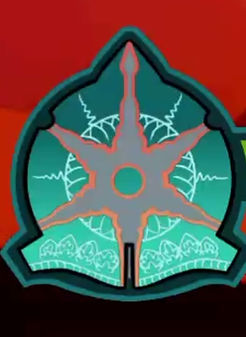
To show the health bar, the artists and designers wanted segmented bar to display character health.

Here's when the player loses health points.

and when the player regains health
Weapon Wheel
Switching weapon is the main mechanic of our game, so designers, artists and me came up with this design to show both weapons and clearly shows switching with a big enough movement to catch players peripheral attention.

Spark Charge Bar
Spark charge is a unique mechanic our game uses, it is an energy bar, when charged, players can perform ultimate attacks.
Quality Assurance
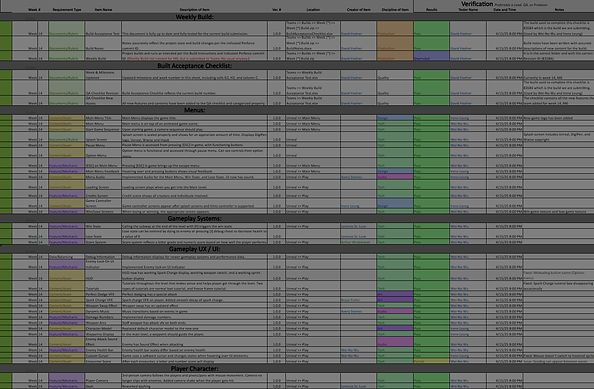
As a QA, I am responsible for writing automatic tests and check for errors. Then report it on an excel sheet, additionally, an issue is created on our GitHub task tracker, and is brought up in the next weekly stand-up meeting.
This is how the document looks like after 28 weeks of development.