
Clawmi
Casual, Simulation, Pixel Art, Collection
Overview
A cozy claw-machine idle game where players collect plushies and furniture, then decorate their personalized home. Designed to feel relaxing, rewarding, and endlessly customizable.
Background
Team Project
This project was created by a two-person team consisting of a Gameplay Programmer and a UI Designer. My role involved Gameplay Programming, Systems Design, Technical Implementation, and helping shape the overall game experience.
The game draws inspiration from titles like Clawbert and Tuber Simulator—combining the satisfying collection loop of claw machines with the creative expression of home decoration. Our goal was to reimagine these mechanics in a fresh, cozy, and customizable experience for mobile players.
Tools & Skills
Tools Used:
-
Unity
-
Visual Studio Editor (C#)
-
Git/Github
-
Aseprite
-
Commercial free fonts sites
Skills Applied:
-
C#
-
Unity Engine
-
Technical Design
-
Asset Creation
Goals
Goals:
The goal of this project was to build a cozy, mobile-friendly claw-machine game with a progression system and UI that could scale with future content updates. Working with a dedicated UI/UX Designer, we focused on creating a clear player experience, strong visual identity, and expandable systems for collection, decoration, and long-term engagement.
Claw Machine
The FIRST and MOST important thing I wanted to get right was... The Claw
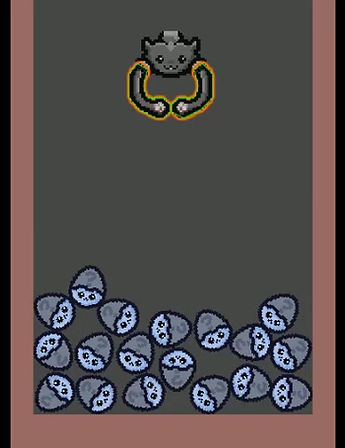
Let's take a look at the FIRST iteration
It can move around
It can open and close its claws
It can simulate grab and detect prizes


It detects 'Prize' objects using a downward raycast
Next I added colliders to complete the grabbing loop and...
What Went Wrong?
I learned that moving the claw using Transform bypasses Unity’s physics engine, which means collision checks don’t register correctly unless I use Rigidbody-based movement.
Also, I disliked how rigid the movement feels
To FIX the claws, I looked for alternatives
Then I came across something called 'Hinge Joints', which gives me the exact control that I need, while still using Unity's physics engine.


After playing around with the settings...
By setting the 'Angle Limits', and allowing gravity, I can create a natural dangle
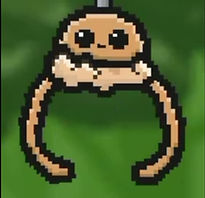
Now I need to make a controller for the claws to control them more systematically...
So I made a simple state machine for the claws

Using motor strength, direction, and new angle limits, I am able to create 3 states that will simulate our claws:
Relax:

Expand:

Grab:

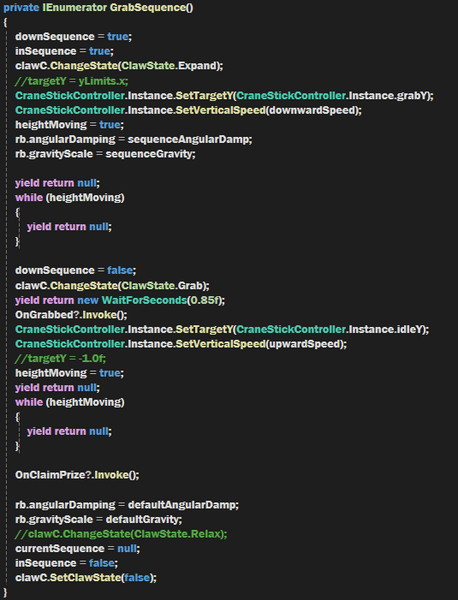
Now in combination of all 3 states, I can create a grabbing sequence:

BUILDING SYSTEM
For a building system, I need a grid system
But first, I need to know what buildings look like before I implement a grid system, so I came up with a few designs:

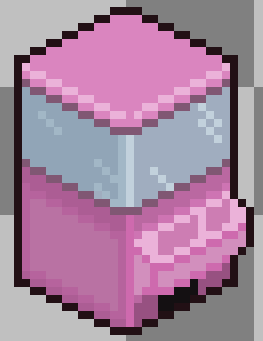
While designing buildings, I noticed a pattern for isometric drawings, by drawing 4 pixel as the base, I was able to draw up right and left in 2:1 steps (2 horizontal and 1 vertical steps)
Now I can design my tileset, where my structures rest on, using the same drawing concept
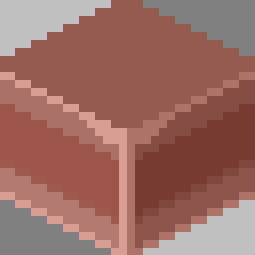
With the constraints and design in mind, I can write the grid system
For fast query, I decided to use dictionaries

This is how the ground tiles are detected:

With this defining what each tile is, and to put it simply, each tile is just 1 pixel

Finally, with this boundary check on my isometric structures:

The building system and grid system put together looks like this
Dragging Views:

Moving / Edge Detection:

Adding Buildings:
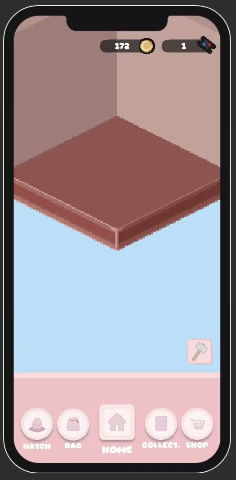
Building Selections:

Building Functions: Rotate and Storage


Gameplay
Claw Machine Prizes

We plan to have multiple themed claw machines, unlocked through progression. This is the base theme, it is customizable by giving it a list of possible prizes and their odds of appearing.
Refreshing

#1

#2

#3

Egg Prizes
There are two types of eggs for each theme; Furniture and Plushie, which gives corresponding structure types.


Similarly to the claw machine prizes, the gacha eggs use the same approach when deciding prizes and odds:


